
 EN
EN
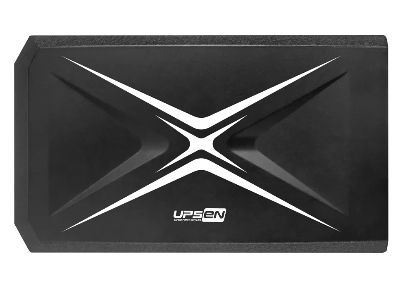
A UPS, or Uninterruptible Power Supply, is an important device that keeps your electronics running when the power goes out. It has an internal battery that stores energy. When the electricity stops, the UPS uses its battery to provide power to your devices. This ups li ion battery is helpful for computers, routers, and other important equipment. Our company, UPSEN, makes UPS devices that are reliable and efficient. We know how important it is to keep your devices safe and running smoothly.
What to Know About UPS and Internal Battery Features?
When you think about a UPS, remember that its main job is to protect your devices from power issues. A UPS with an internal battery can supply power for a short time during an outage. This gives you the chance to save your work and turn off your equipment safely. Not all UPS devices are the same. Some have more powerful batteries than others, which means they can run your devices longer. For example, if you have a gaming computer that needs a lot of power, you might want a UPS with a stronger battery. On the other hand, if you just need to keep a small router running, a smaller UPS will work fine.
Many UPS devices also have extra features. Some can protect against power surges, which can damage your electronics. Others might have USB ports to charge your devices directly. UPSEN's products focus on these features, ensuring that you get the best protection for your electronics. Another thing to consider is how many devices you want to connect to the UPS. Make sure to check the outlet count and the total wattage that the UPS can handle. This will help you choose the right UPS for your needs.
How to Choose a UPS with an Internal Battery for Your Needs?
Choosing the right UPS with an internal battery can feel overwhelming, but it doesn't have to be. First, think about what devices you will connect to the UPS. If you need to protect a computer, a monitor, and a printer, you will need a UPS that can support their combined power needs. It's also important to check how long you want the UPS to provide power during an outage. Some UPS devices can last for several hours, while others might only last for a few minutes.
Next, look at the size and weight of the UPS. If you have limited space, you might want a compact model. UPSEN offers different sizes to fit different spaces. You should also think about how you will use the UPS. Do you want it to be easy to move around, or will it stay in one place? Finally, consider the price. There are UPS devices at many price points. While it might be tempting to choose the cheapest option, investing in a quality UPS can save you money in the long run by protecting your devices.
In short, selecting the right UPS with an internal battery is about knowing your needs. Whether you are protecting a home office or a gaming setup, UPSEN has options that can help. Make sure to evaluate the power requirements, features, and budget to find the perfect iron phosphate battery for you.
How Does an Internal Battery Enhance UPS Performance?
An Uninterruptible Power Supply, or UPS, is a device that helps keep your electronic devices running when the power goes out. One of the most important parts of a UPS is its internal battery. This battery acts like a backup power source. When the electricity supply is cut off, the UPS switches to its internal battery to keep everything working smoothly. This means that even if the lights go out, your computer, gaming console, or other important devices can keep running.
The internal battery helps the UPS perform better because it allows devices to stay on longer during a power outage. For example, if you're working on a school project and the power goes off, the internal battery will give you extra time to save your work. This can prevent data loss and save you from having to start all over again. An internal battery also helps protect your devices from power surges. Sometimes when the power comes back on, it can spike and damage your electronics. The UPS, with its internal battery, can help smooth out these spikes, keeping your devices safe. UPSEN makes sure their UPS units have strong internal batteries to provide reliable performance, so you can trust that your devices are protected.
What Are the Benefits of Using a UPS with an Internal Battery?
Using a UPS with an internal battery has many benefits. First, it provides emergency power. When the electricity goes out, having a UPS with an internal battery means you won’t lose your work or games. You can save what you’re doing and shut down your devices safely. This is very important for students who need to submit assignments on time or for anyone working from home.
Another big benefit is protection from power problems. Sometimes, the power can be unstable, causing devices to turn off unexpectedly. A UPS with an internal battery helps prevent this by giving your devices a steady supply of power. This means fewer interruptions and a longer lifespan for your electronics. Plus, using a UPS can save you money in the long run by preventing damage to your devices.
Finally, a UPS with an internal battery is easy to use. Once you set it up, it works automatically. You don’t have to worry about turning it on or off; it does everything for you. UPSEN designs their products to be user-friendly, so even if you’re not very tech-savvy, you can still rely on it to protect your devices.
How to Troubleshoot Common UPS Internal Battery Problems?
Sometimes, you might face problems with your UPS internal battery. If your UPS isn’t working properly, it’s important to know how to troubleshoot the issue. First, check if the UPS is plugged in. Sometimes, it can get unplugged accidentally, which means it won’t charge the internal battery. Make sure the power outlet is working too. You can do this by plugging in another device to see if it gets power.
Next, listen for any beeping sounds from the UPS. Many UPS devices, including those made by UPSEN, have alarms that alert you to problems. If you hear a constant beep, it might mean the battery is low or needs to be replaced. Look for any warning lights on the UPS. A red light can mean there’s a problem, while a green light usually indicates everything is working fine.
If you’ve checked all these things and the UPS still isn’t working, the internal battery might be old or damaged. Over time, batteries can lose their ability to hold a charge. If this happens, you may need to replace the battery. Check the user manual for your UPSEN ups lithium battery for instructions on how to replace the battery safely. If you’re still having trouble, it might be a good idea to contact customer support for further assistance. They can help diagnose the problem and guide you on the best solution.