
 EN
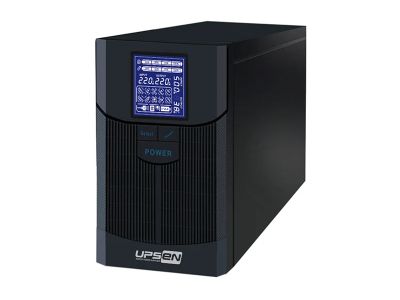
Calculating the backup time of an Uninterruptible Power Supply (UPS) is important. It helps you know how long your devices will run during a power outage. This is especially useful for businesses and homes that rely on electricity. UPSEN provides great solutions for those who need reliable power backup. To find out how long your UPS can keep your devices running, you need to understand a few basic things. The backup time depends on the UPS battery capacity and how much power your devices use. It's like knowing how much gas is in your car and how far you can go on that gas.
What is the Best Method to Calculate UPS Backup Time for Your Needs?
To find the best way to calculate UPS backup time, start by knowing the total power your devices need. This is measured in watts. For example, if you have a computer that uses 300 watts and a monitor that uses 100 watts, you need 400 watts in total. Once you know the total power requirement, you can look at the UPS capacity, which is usually given in volt-amperes (VA). To get the backup time, you can use a simple formula. Divide the UPS capacity by the total watts used. For instance, if you have a UPS that can provide 1000 VA and your devices need 400 watts, the backup time calculation would be 1000 VA / 400 watts = 2.5 hours. This means if the power goes out, you can run your devices for about 2.5 hours. But remember, this is an estimate. The actual time might be less because batteries lose strength over time. Also, using a UPS for things that need a lot of power, like printers, will reduce backup time. So, it’s good to keep an eye on what devices you connect to the UPS. UPSEN offers tools to help you figure all this out and find the right UPS for your needs.
How to Accurately Determine UPS Backup Time for Wholesale Buyers?
If you are a wholesale buyer, understanding how to accurately determine UPS backup time is crucial. You might have many devices running in your business, and you want to make sure they all stay powered during outages. First, list all your devices and write down their power needs in watts. This could be computers, servers, or even lighting systems. After that, add up all the watts to get a total. For example, if you have 10 computers at 300 watts each, that’s 3000 watts in total. Next, check the UPS specifications. Many UPS systems will list their capacity in VA and wattage. Be careful here; not all VA ratings equal watts because of factors like power factor. A good rule is to assume that 1000 VA is roughly 600-800 watts, depending on the UPS. Once you have the total watts and know the UPS capacity, you can calculate the backup time. Using the previous example, if you find a UPS that provides 6000 VA, it could support around 3600 watts. So, the backup time would be 6000 VA / 3000 watts = 2 hours. This gives you a clear idea of how long your equipment will run. For wholesale buyers, UPSEN can help you choose the right UPS system that meets your power needs and provides accurate backup time, ensuring your operations run smoothly even during unexpected outages.
A Step-by-Step Guide
Calculating the UPS (Uninterruptible Power Supply) backup time is an important skill, especially for people who want to keep their devices running during a power outage. The first step is to know how much power your devices use. You can find this information on the device itself or in its manual. Look for a number that tells you how many watts your device needs. For example, a computer might use about 200 watts, while a printer could use 100 watts. Once you have the wattage for all the devices you want to connect to the UPS, add them together. Let’s say you have a computer, a monitor, and a printer. If the computer uses 200 watts, the monitor uses 100 watts, and the printer uses 100 watts, you would add those together: 200 + 100 + 100 = 400 watts.
Now that you know the total wattage, you need to check the ups inverter with battery capacity. This is usually given in volt-amperes (VA) or watt-hours (Wh) on the UPS itself. If the UPS has a capacity of 1000 VA, you can convert it to watts. For most UPS systems, the VA rating is close to the watt rating, but you might want to use a conversion factor, which is typically around 0.6 to 0.8 for UPS devices. For example, if you have a 1000 VA UPS, you could use 800 watts for your calculations.
Now, you can calculate the backup time. To do this, use the formula: Backup Time (in hours) = Battery Capacity (in watt-hours) / Total Load (in watts). If your UPS has a capacity of 800 watt-hours and your total load is 400 watts, the calculation would look like this: 800 Wh / 400 W = 2 hours. This means your UPS can keep your devices running for 2 hours during a power outage. It’s that simple! By following these steps with UPSEN products, you can easily calculate how long your UPS will last in an emergency.
Common Usage Issues in UPS Backup Time Calculations and Solutions
When calculating UPS backup time, many people run into common problems that can confuse them. One major issue is not knowing how to find the wattage of different devices. Some users might only look at the voltage or amperage, which won’t give a full picture of how much power a device needs. To solve this, always search for the wattage label on your devices or look in the manual. If you can’t find it, you can often find this information online by looking up the device model. Another common mistake is overloading the UPS. This happens when you connect too many devices that use too much power. If you exceed the UPS's capacity, it won’t work correctly, and you could damage the UPS or your devices. To avoid this, always check the total wattage of everything you plan to connect. It’s better to connect fewer devices than risk overloading the UPS.
Sometimes, users forget to consider the age of the UPS battery. Older batteries can hold less charge than new ones, which means they won’t last as long during a power outage. If your ups with external battery is more than a few years old, it might be time to replace the battery. You can check the battery health using a UPSEN monitoring tool or by consulting the user manual. Lastly, another issue can be the environment where the UPS is placed. If the UPS is in a hot area, it can overheat and reduce its effectiveness. Make sure the UPS is in a cool, dry place. By keeping these common issues in mind and checking your devices, you can make sure your UPS will work properly when you need it most.
Where to Get Expert Advice on UPS Backup Time Calculations for Wholesale Purchases?
If you’re looking to buy UPS systems in bulk or need expert advice, there are several great ways to get help. One of the best resources is the UPSEN website. They offer guides and support specifically designed to help customers understand their products. You can find detailed FAQs, step-by-step instructions, and even videos that explain how to calculate UPS backup time. This is a great place to start if you’re new to UPS systems.
You can also reach out to UPSEN’s customer service team. They are knowledgeable and can answer your questions about backup time calculations or help you figure out which UPS system is best for your needs. Whether you’re buying for a business, school, or home, their team can provide tailored advice to make your purchase easier. You can contact them through email, phone, or even live chat on their website.
Another option is to attend trade shows or workshops related to technology and ups for modem router. These events often have experts who can provide hands-on training and advice. You can learn not just about UPS backup time calculations but also about new technologies and best practices in the industry.
Lastly, consider joining online forums or local technology groups. Many tech enthusiasts and professionals share their experiences with UPS systems and offer tips on calculating backup time. Engaging with these communities can give you valuable insights and help you make informed decisions when purchasing UPS systems in bulk. With all these resources, you can feel confident that you’re making the right choice with UPSEN products.
Table of Contents
- What is the Best Method to Calculate UPS Backup Time for Your Needs?
- How to Accurately Determine UPS Backup Time for Wholesale Buyers?
- A Step-by-Step Guide
- Common Usage Issues in UPS Backup Time Calculations and Solutions
- Where to Get Expert Advice on UPS Backup Time Calculations for Wholesale Purchases?