· Intelligent CPU Control
· Auto Restart while AC is Recovering
· Boost and buck AVR for voltage stabilization
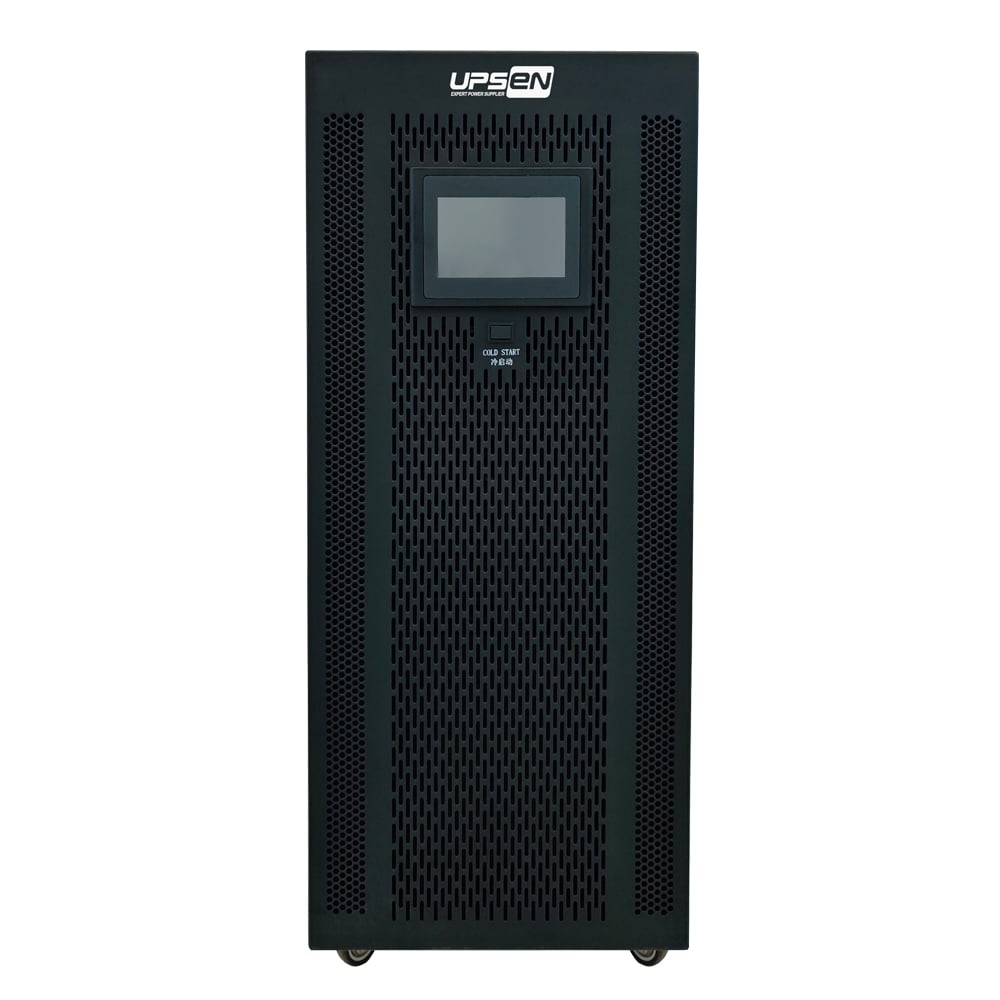
· Cold start function
· Off-mode charging
· Optional USB or RS-232 communication port, RJ-45 and SNMP
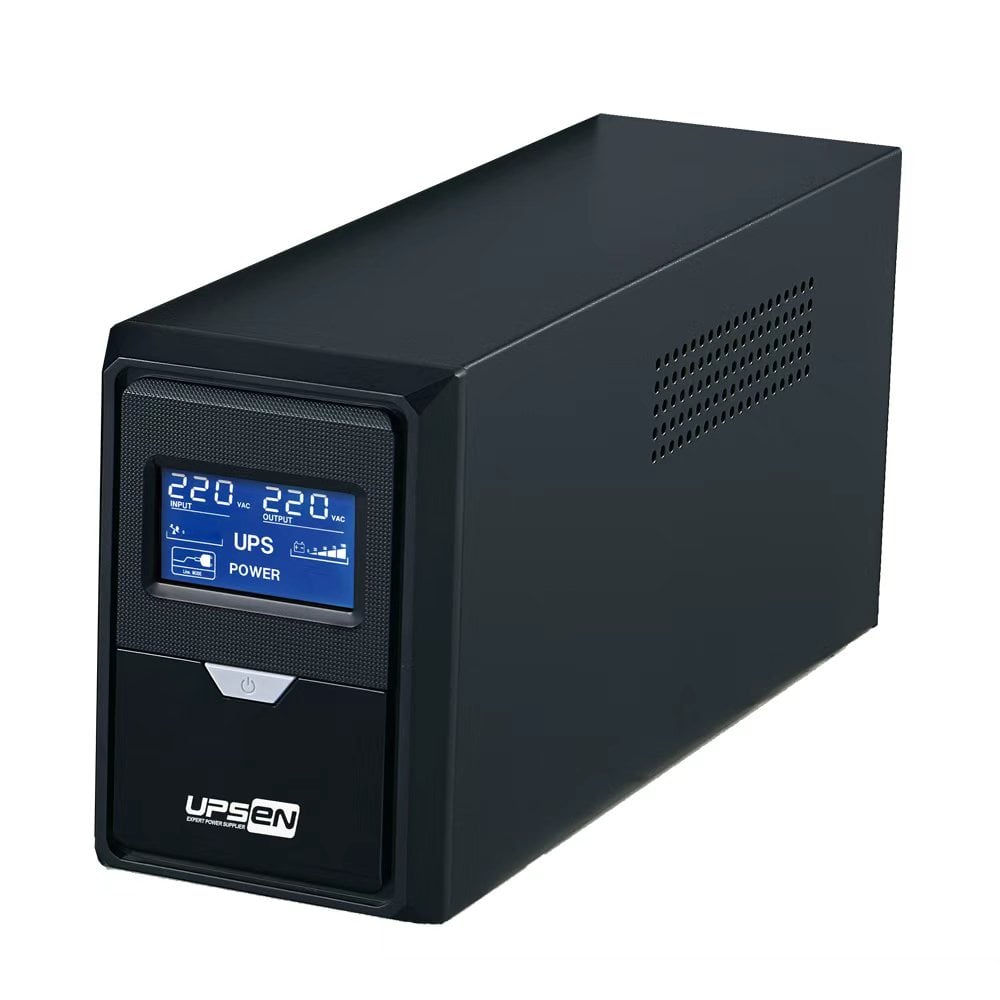
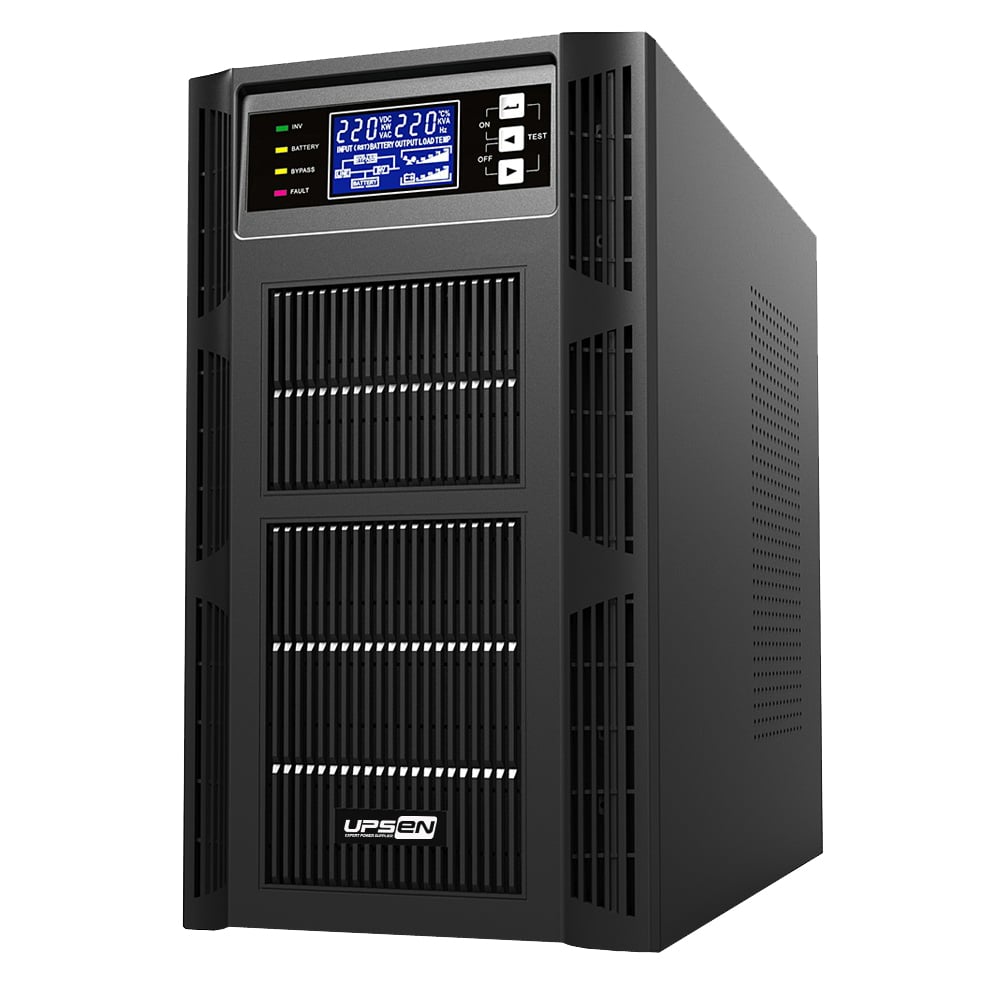
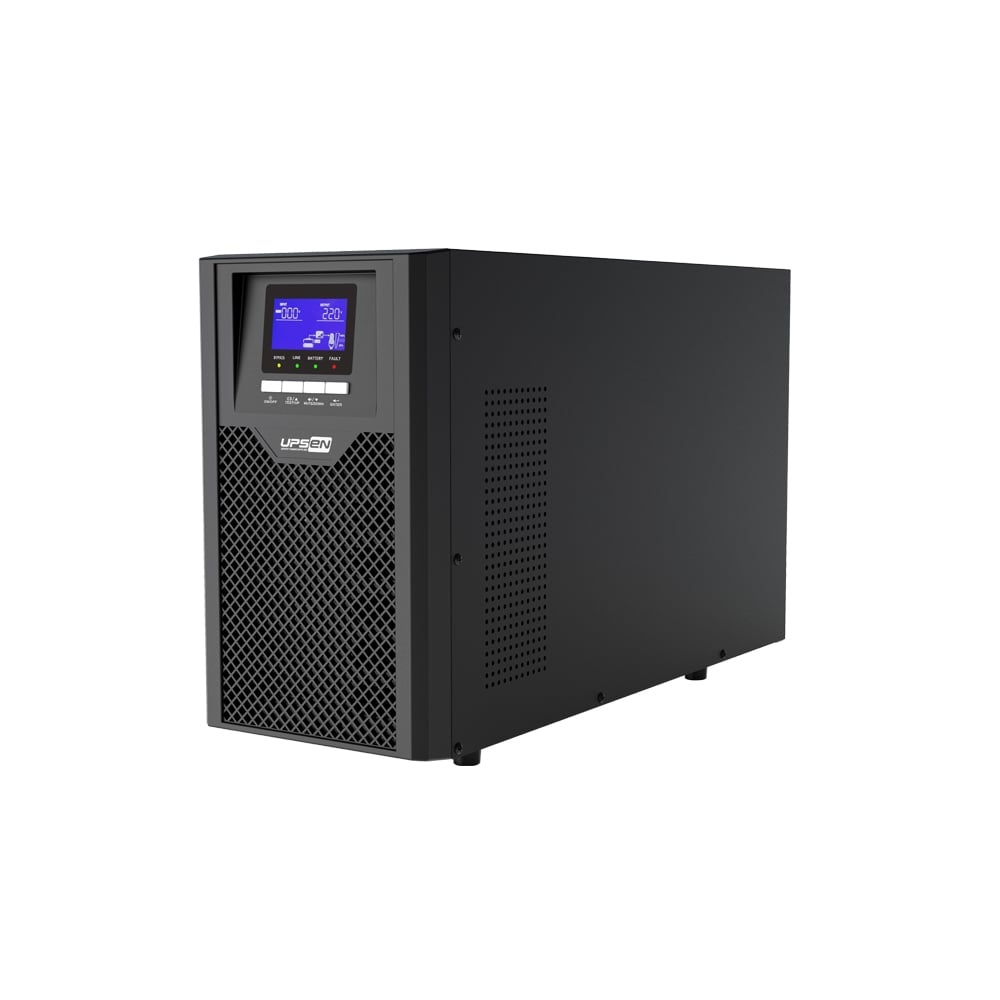
· Offering LED and LCD panels for selection, multi-color panel
| MODEL | P500 | P650 | P800 | P1000 | P1500 | P2000 | P2000B | P3000 |
| Capacity | 500VA/300W | 650VA/390W | 800VA/480W | 1000VA/600W | 1500VA/900W | 2000VA/1200W | 2000VA/1200W | 3000VA/1800W |
| INPUT | ||||||||
| Voltage | 110V / 120VAC or 220 / 230 / 240VAC | |||||||
| Voltage Range | 81 - 145VAC or 145 - 280VAC | |||||||
| Frequency | 50Hz / 60Hz ( 40 ~ 70Hz Auto sensing) | |||||||
| OUTPUT | ||||||||
| Voltage | 110V / 120VAC or 220 / 230 / 240VAC | |||||||
| Voltage Range | ±10% | |||||||
| Frequency Range (Battery Mode) |
50 / 60 ±1Hz | |||||||
| Transfer Time | 4 - 6ms | |||||||
| Wave Form (Battery Mode) |
Simulated Sine Wave | |||||||
| BATTERY | ||||||||
| Battery Model & Quantity |
12V4.5AH*1PC | 12V7AH*1PC | 12V9AH*1PC | 12V7AH*2PC | 12V9AH*2PC | 12V9AH*2PC | 12V7AH*4PC | 12V9AH*4PC |
| Battery Life Cycle | 5 Years | |||||||
| Charge Time | 4 Hours to Recover to 90% Capacity | |||||||
| PROTECTION | ||||||||
| Full Protection | Discharge, Short Circuit and Overload Protection | |||||||
| INDICATORS | ||||||||
| LCD / LED Display | AC Mode, Battery Mode, Load Level, Battery Level, Input Voltage, Output Voltage, Overload and Low Battery | |||||||
| ALARM | ||||||||
| Battery Mode | Sounding Every 4 Seconds | |||||||
| Low Battery | Sounding Every Second | |||||||
| Overload | Sounding Every Second | |||||||
| Fault | Continuously Sounding | |||||||
| INTERFACE | ||||||||
| USB/RS232 Port(Optional) | Support Windows XP/Vista, Windows 7/8, Linux, Unix, and MAC | |||||||
| Optional SNMP | Power management from SNMP management and web browser | |||||||
| ENVIRONMENT | ||||||||
| Humidity | 0-90% RH @ 0-40℃(Non-condensing) 0-90% | |||||||
| Output Sockets | Optional 4*IEC320-C13, 4*Schuko CEE 7, or as Required | |||||||
| IP Rating | IP20 | |||||||
| Standards | CE, RoHS | |||||||
| Noise Level | Less than 40dBA(1m.) | |||||||
| Dimension.D*W*H(mm) | 280*90*140 | 320*90*140 | 330*100*150 | 365*140*165 | 365*140*165 | 365*140*165 | 395*145*210 | 395*145*210 |
| Net Weight (kgs) | 4 | 5.2 | 5.7 | 10 | 11.9 | 12.6 | 17 | 21 |
| *Product Specifications are Subject to Change Without Notice. | ||||||||
Let's not overcomplicate this. The P Series is the UPS you buy when you want something that works, doesn't demand your attention, and doesn't come with a bunch of features you'll never touch. It sits there quietly, handles whatever the power grid throws at it, and when things go sideways, it's got your back.
The lineup spans from 500VA all the way up to 3000VA, which means there's a size for just about anything you need to protect—from a single desktop workstation to a small server closet full of gear. And despite that range, the core philosophy stays the same: intelligent protection without the fuss.
What "Intelligent CPU Control" Actually Means for You
You'll see "microprocessor-controlled" or "intelligent CPU" tossed around in UPS specs all the time. It sounds technical and impressive, but what does it actually do for the person sitting at the desk?
In practice, it means the P Series is constantly paying attention. It watches the voltage coming in from the wall, it tracks how much load you're pulling, and it knows exactly what the battery is doing at any given moment. When the grid voltage starts to wobble—maybe it's sagging because the whole neighborhood is running AC, or spiking because a motor somewhere kicked off—the CPU steps in and adjusts things before your equipment even notices.
You don't have to configure anything. You don't have to interpret a manual. It just handles it.
AVR: The Feature That Saves Your Battery (and Your Sanity)
One of the most misunderstood things about UPS systems is how they deal with bad power that isn't quite an outage. If you live somewhere with sketchy voltage—frequent brownouts, lights that dim when the fridge kicks on, or an older building with questionable wiring—your UPS battery can get absolutely hammered if it's constantly switching to backup mode.
The P Series uses Automatic Voltage Regulation (AVR) to solve this. Instead of jumping to battery every time the voltage drops a little, it boosts the incoming power back up to a usable level. If the voltage runs too high, it bucks it down. All of this happens on the AC side, meaning the battery stays out of the equation entirely.
The upside? Your battery lasts longer. It's not being cycled dozens of times a day for minor voltage corrections. It stays fully charged, waiting for an actual blackout. And in the meantime, your equipment runs on steady, conditioned power.
Auto-Restart: Because You Shouldn't Have to Baby Your UPS
Here's a scenario that plays out in small businesses and home offices all the time: a power outage hits overnight. The UPS does its job, keeps things running for a while, and eventually shuts down when the battery drains. That's fine—that's what it's supposed to do.
The problem comes in the morning. The power came back at 3 AM, but the UPS is still sitting there, powered off, waiting for someone to walk over and press a button. Meanwhile, your security system isn't recording, your network gear is offline, and nobody knows until they show up.
The P Series doesn't do that to you. When utility power returns, it automatically restarts and brings your equipment back online. No button. No site visit. No Monday morning surprise where you find out everything's been down for hours.
It's a small thing that makes a huge difference when you're managing equipment remotely or just don't want to think about power infrastructure.
Cold Start and Off-Mode Charging: Flexibility When You Need It
A couple of features worth pointing out, because they're the kind of thing you don't appreciate until you need them:
Cold start means you can fire up the P Series straight from battery even when there's no wall power at all. Maybe you're in the middle of a blackout and need to pull a file off a desktop real quick. Maybe you're testing equipment on a bench without an outlet nearby. Whatever the reason, it's there if you need it.
Off-mode charging is even simpler: plug the UPS into the wall, leave it switched off, and the battery will still charge. That's handy if you're staging equipment, keeping a spare unit on the shelf, or only powering gear occasionally and don't want the UPS actively running 24/7. It'll be fully charged and ready to go when you are.
Communication Ports That Actually Match How You Work
Not everyone monitors their UPS the same way, and the P Series doesn't force you into one approach. You've got options:
USB: The standard. Plug it into a computer, let the OS handle basic monitoring and graceful shutdown.
RS-232: For legacy systems, industrial controllers, or anything that still speaks serial.
RJ-45: Network surge protection passthrough, plus monitoring capabilities depending on the model.
SNMP slot: If you want full network monitoring and management—alerts, status checks, remote shutdown—this is how you get it. Pop in an SNMP card and the P Series becomes a managed device on your network.
The point is, you can keep it simple or get as granular as you want. The hardware doesn't lock you into anything.
The Display That Actually Helps You See What's Going On
Most UPS displays are functional but forgettable. A single green light. Maybe a beep. The P Series gives you a choice between LED or LCD, and whichever you pick, the multi-color design makes a genuine difference in day-to-day use.
When everything's normal, you get a calm green. When something needs attention, the color shifts. You don't have to squint at tiny text or decode blinking patterns. One glance tells you whether you're on utility power, running on battery, or looking at a fault condition.
It's a small design choice, but it's the kind of thing that makes living with a UPS just a little less annoying. Especially if it's tucked under a desk or in a dim corner where a monochrome display would be impossible to read.
Where the P Series Fits
The 500VA to 3000VA range covers a lot of ground. Here's a rough idea of what lands where:
500VA - 850VA: Perfect for a single desktop, a modem and router combo, or a small POS terminal. Enough runtime to save work and shut down cleanly.
1000VA - 1500VA: Good for a full workstation with monitor and peripherals, a small security DVR setup, or a couple of network devices.
2000VA - 3000VA: Stepping into small server territory. Multiple PCs, network switches, maybe a compact server or NAS. You'll get enough runtime to ride out short outages or execute a controlled shutdown.
Common applications across the board:
Personal computers and workstations: The classic use case. Keep your work from vanishing when the power blinks.
Printers and multifunction devices: Laser printers pull serious current when they warm up. The P Series handles it.
Point-of-sale terminals: In retail, a down terminal means lost revenue. AVR keeps things stable even with dirty store power.
Security systems: Cameras and DVRs need to keep recording through outages. The P Series bridges the gap.
Fax machines and legacy comms gear: Still running a fax line? Protect it. Some things never die.
Modems and routers: The simplest upgrade. Keep your internet alive through the flickers.
The Bottom Line
The P Series Line Interactive UPS isn't trying to win any design awards or pack in features you'll never touch. It's built to sit there, do its job, and make sure you don't lose work or equipment to bad power. The CPU control keeps things smart, the AVR saves your battery, and the auto-restart means you don't have to babysit it.
And honestly? The multi-color display is just a nice bonus. It's the kind of detail that says someone actually thought about the person using this thing.
If you need reliable, no-nonsense line interactive UPS protection across a wide power range, the P Series is the straightforward choice. Set it up, forget about it, and be glad it's there when the lights flicker.

1409-1410, Tongfang Center, the intersection of Zhongxin Rd. and Haoxiang Rd., Xinqiao St., Bao'an Dist., Shenzhen, China.
Copyright © Shenzhen UPSEN Electronic CO., LTD. All Rights Reserved Privacy Policy
 EN
EN